




之前用的WP Reposidget插件失效了,于是找到这么一个插件gitCards代替。
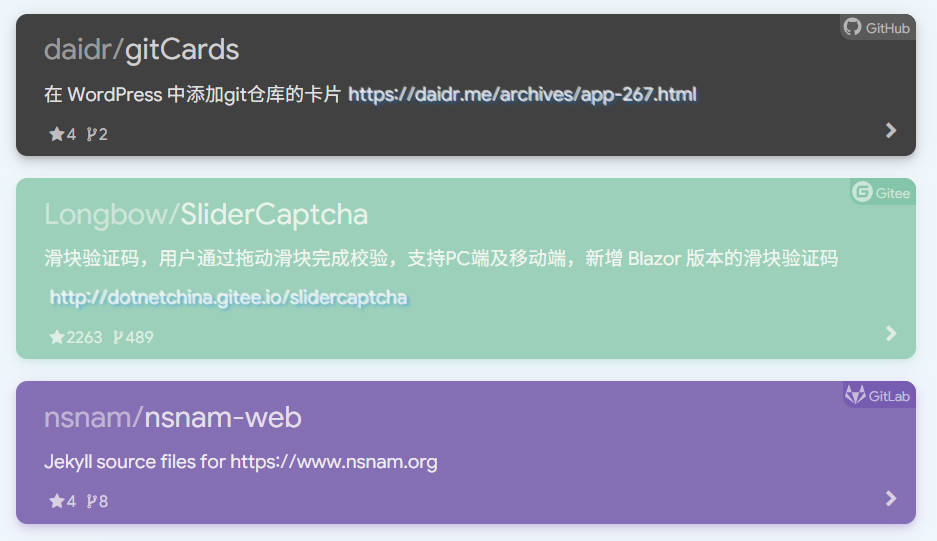
感谢戴兜大佬的开发,效果如下:
使用方法:
1、下载安装gitCards插件
2、编辑器使用简码
【gitcard type=”” URL=””】(改为英文[])
type参数可选 1(GitHub) / 2(coding) / 3(gitee) / 4(gitlab),默认为1。
url参数填写git地址,默认为gitcards的github地址
3、预览发布

Use this card to join us and particIPate in a pleasant discussion together .
Welcome to JISHUSONGSHU Group,wish you a nice day .
感谢您的来访,获取更多精彩文章请收藏本站。

© 版权声明
THE END


















暂无评论内容